
Game Overview
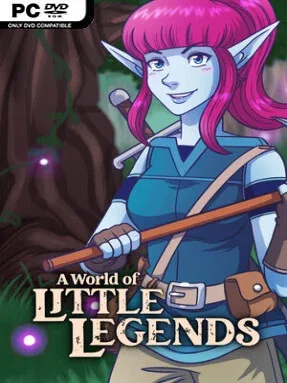
A snow globe at a country fair becomes the doorway to a strange, scarred wilderness where farming, survival, and fantasy adventure sit comfortably together. A World of Little Legends favors a cozy pace over constant deadlines, letting players settle into a procedurally generated land of crops, animals, resources, and crumbling remnants of an older civilization. Its colorful 16-bit-inspired presentation recalls the Super Nintendo era, but the mood shifts when corrupted creatures and imposing Rift Guardians emerge. Beneath the relaxed homestead fantasy lies a mystery involving magical rifts, lost souls, and a possible route home.
Daily play revolves around gathering materials, digging terrain, tending irrigated fields, and turning raw supplies into useful equipment or homely decorations. Players cultivate crops such as wheat and honey carrots, then use a range of workstations and furnaces to craft stronger tools, survival essentials, and building pieces for a personalized base. Exploration sends you through ruins for clues and valuables, while bridges through the Rift lead toward increasingly dangerous regions that demand more preparation. Combat interrupts the calm with boss-focused encounters, requiring players to learn attacks, improve their gear, and cleanse corrupted areas rather than simply outlast a timer.
The strongest appeal comes from how freely it mixes genres without making the farming side feel like a race against the clock. Character creation supports varied looks through different facial hair, hairstyles, colors, and folk-inspired options, while the editable world gives builders room to make a settlement feel personal. Randomized environments should keep fresh starts unpredictable, and the ruins provide a narrative reason to keep pushing beyond the farm gate. Fans of Stardew Valley’s quiet routines, Terraria’s crafting drive, and light survival games with more deliberate boss battles are likely to find plenty to enjoy, especially if they prefer self-directed exploration over tightly scripted progression.
Installation
- Click the green button below to be redirected to UploadHaven.
- Wait 15 seconds, then hit “Free Download.” (Free downloads may be slower — upgrade to UploadHaven Pro for faster speeds.)
- Once downloaded, right-click the .zip file and choose “Extract to A World of Little Legends.” (You’ll need 7-Zip for this.)
- Open the extracted folder and run the game as administrator.
- Enjoy! 🎮 If you see missing DLL errors, check the <strong>_Redist</strong> folder inside and install what’s needed.
System Requirements
- Requires a 64-bit processor and operating system
- OS: Windows 10
- Processor: 2.5 GHz Multi Core
- Memory: 8 GB RAM
- Graphics: Shader model 5.0 compatible
- DirectX: Version 11
- Storage: 500 MB available space
Setup Guide & Troubleshooting
How do I fix missing DLL errors for A World of Little Legends (v0.51.0)?
After extracting A World of Little Legends (v0.51.0), navigate to the _Redist or _CommonRedist folder inside the game directory and install DirectX, Vcredist, and any other dependencies included.
What should I do if the downloaded file is corrupted?
The full archive is 194.22 MB — make sure your download completed fully before extracting. Use 7-Zip to extract the files. If you still see a "file corrupted" error, re-download and try again.
Why should I run the game as administrator?
Right-click the game executable and select "Run as Administrator" to avoid save file issues and permission errors. This is especially important on the first launch.
How do I update my GPU drivers for this game?
A World of Little Legends (v0.51.0) requires a Shader model 5.0 compatible or equivalent. Update your NVIDIA or AMD drivers to the latest version for the best performance.
The game won't launch — what should I try?
This game requires Version 11. Try running in compatibility mode, install the latest DirectX runtime, or install the All-in-One VC Redist Package.
My antivirus is blocking the game — is it safe?
Antivirus false positives are common with pre-installed games. Temporarily pause your antivirus during extraction to prevent it from quarantining game files. You can re-enable it after the extraction completes.