
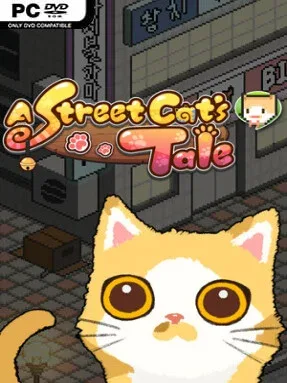
Game Overview
A hungry kitten’s tiny world feels enormous in this pixel-art survival adventure, where alleys, shops, parks, and apartment blocks become dangerous territory. A Street Cat’s Tale follows an abandoned stray trying to last thirteen days in a busy town, balancing the simple needs of food, shelter, and safety against the uncertainty of every human encounter. Its warm-looking visuals hide a surprisingly melancholy premise: even a friendly approach can lead to a meal, a new bond, or a frightening rejection. The result is a compact, emotional game that treats life at street level as both charming and harsh.
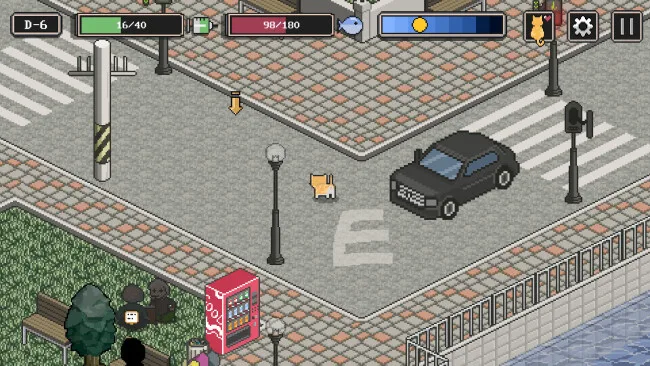
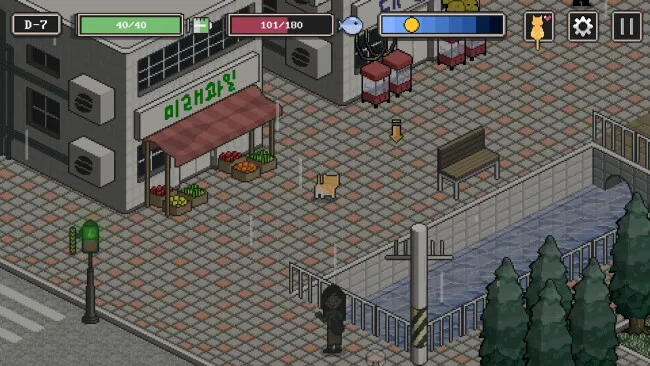
Most of your time goes into roaming the neighborhood, searching bins and corners for edible scraps while keeping the kitten’s hunger under control. Food is not merely a collectible; managing it determines whether the kitten has the strength to continue exploring and meet the next day. Town residents react differently when approached, and repeated interactions raise or lower their affection, opening up bits of dialogue, help, hostility, and possible homes. Progress comes less from traditional combat or complicated systems than from learning each character’s routine, deciding whom to trust, and making careful use of limited time and resources.
What makes the game memorable is its commitment to a feline perspective: a familiar town becomes a maze of oversized streets and unpredictable people when viewed through a kitten’s eyes. Eleven endings give the brief campaign real replay value, since different relationships and choices steer the stray toward dramatically different outcomes. The cute sprite work and accessible controls make it easy to pick up, but the hunger pressure and occasionally sad encounters give it more weight than a typical cozy animal game. Players who enjoy the emotional simplicity of A Short Hike or the survival tension of a gentler, story-focused virtual pet will find plenty to like, while completion-minded players can return to uncover every possible fate.
Screenshots
Installation
- Select the <strong>Download</strong> button at the top of this page to open UploadHaven.
- On UploadHaven, wait for any countdown, then select <strong>Free Download</strong>. Optional: UploadHaven Pro for faster downloads.
- When complete, extract the archive to a <strong>A Street Cat's Tale</strong> folder using 7-Zip.
- Open the extracted folder and start the game normally.
- For errors, check <strong>Setup Guide & Troubleshooting</strong> below. Keep your security software enabled.
System Requirements
- OS *: Windows Vista or greater
- Processor: 2 Ghz
- Memory: 2 GB RAM
- Graphics: 256 mb video memory, shader model 3.0+
- DirectX: Version 10
- Storage: 300 MB available space
Setup Guide & Troubleshooting
How do I fix missing DLL errors for A Street Cat’s Tale?
After extracting A Street Cat’s Tale, navigate to the _Redist or _CommonRedist folder inside the game directory and install DirectX, Vcredist, and any other dependencies included.
What should I do if the downloaded file is corrupted?
The full archive is 69.21 MB — make sure your download completed fully before extracting. Use 7-Zip to extract the files. If you still see a "file corrupted" error, re-download and try again.
Why should I run the game as administrator?
Right-click the game executable and select "Run as Administrator" to avoid save file issues and permission errors. This is especially important on the first launch.
How do I update my GPU drivers for this game?
A Street Cat’s Tale requires a 256 mb video memory, shader model 3.0+ or equivalent. Update your NVIDIA or AMD drivers to the latest version for the best performance.
The game won't launch — what should I try?
This game requires Version 10. Try running in compatibility mode, install the latest DirectX runtime, or install the All-in-One VC Redist Package.
My antivirus is blocking the game — is it safe?
Antivirus false positives are common with pre-installed games. Temporarily pause your antivirus during extraction to prevent it from quarantining game files. You can re-enable it after the extraction completes.