
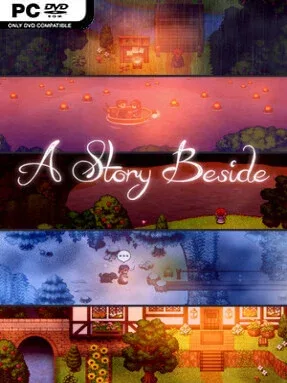
Game Overview
Pyreside is a mountain village where the greatest dramas unfold over shared meals, old promises, missed chances, and the people who remain after heroes have passed through. A Story Beside follows Lyric, a seemingly ordinary innkeeper whose life becomes the focus of a fantasy tale built around memory rather than monster slaying. Its tone is gentle, reflective, and often bittersweet, finding emotional weight in friendships, romance, family, and the quiet changes that accumulate over decades. The surrounding world may contain grander legends, but the game deliberately keeps its attention on those living at their edges.
Players guide Lyric through defining moments across her lifetime, choosing how she responds to neighbors, handles relationships, and shapes her place within the community. Conversations and decisions form the central loop, with outcomes influencing the bonds she builds and the direction her personal story takes. Choices also affect smaller details, including Lyric’s evolving personality and appearance, which helps give the passage of time a tangible presence. Wandering around Pyreside’s cottages, woodland routes, windmill, apothecary, and local businesses provides the setting for encounters with farmers, smiths, shopkeepers, and other residents whose own lives change alongside hers.
What stands out is its refusal to treat an innkeeper’s life as a pause between more important adventures. Instead, it argues that a village’s emotional history—who loves whom, who leaves, who forgives, and who stays—can be every bit as compelling as a kingdom-saving quest. The fantasy setting gives the story warmth and atmosphere without turning it into a combat-focused RPG, while the branching relationships invite replaying key decisions to see different futures for Lyric and Pyreside. Players who enjoy the intimate choice-driven storytelling of Life is Strange, or the heartfelt, memory-centered approach of To the Moon, should find a lot to appreciate here. It is best suited to readers of character dramas and newcomers to narrative adventures who want meaningful decisions without demanding action mechanics.
Installation
- Click the green button below to be redirected to UploadHaven.
- Wait 15 seconds, then hit “Free Download.” (Free downloads may be slower — upgrade to UploadHaven Pro for faster speeds.)
- Once downloaded, right-click the .zip file and choose “Extract to A Story Beside.” (You’ll need 7-Zip for this.)
- Open the extracted folder and run the game as administrator.
- Enjoy! 🎮 If you see missing DLL errors, check the <strong>_Redist</strong> folder inside and install what’s needed.
System Requirements
- OS *: Windows 7, 8, 10
- Processor: 2.0 GHz equivalent
- Memory: 1 GB RAM
- Storage: 550 MB available space
- Additional Notes: Runs at 960×544
Setup Guide & Troubleshooting
How do I fix missing DLL errors for A Story Beside?
After extracting A Story Beside, navigate to the _Redist or _CommonRedist folder inside the game directory and install DirectX, Vcredist, and any other dependencies included.
What should I do if the downloaded file is corrupted?
The full archive is 468.93 MB — make sure your download completed fully before extracting. Use 7-Zip to extract the files. If you still see a "file corrupted" error, re-download and try again.
Why should I run the game as administrator?
Right-click the game executable and select "Run as Administrator" to avoid save file issues and permission errors. This is especially important on the first launch.
How do I update my GPU drivers for this game?
Update your NVIDIA or AMD drivers to the latest version for the best performance and compatibility.
The game won't launch — what should I try?
Try running in compatibility mode, install the latest DirectX runtime, or install the All-in-One VC Redist Package.
My antivirus is blocking the game — is it safe?
Antivirus false positives are common with pre-installed games. Temporarily pause your antivirus during extraction to prevent it from quarantining game files. You can re-enable it after the extraction completes.