
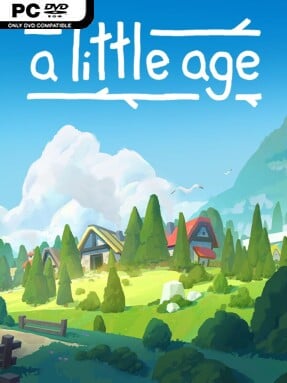
Game Overview
A quiet civilization grows from a single hamlet into a web of towns, trade routes, and shared ambitions, with no armies or disasters waiting to tear it down. A Little Age is a compact, cozy settlement builder built around making smart matches and watching small communities find their place in a procedurally generated landscape. Its tone is deliberately low-pressure: there are no hostile forces, no looming failure states, and no demand to rush through a session. Instead, it offers a satisfying one-to-two-hour planning puzzle that can be paused, closed, and resumed whenever life gets in the way.
Players expand across a newly generated map, uncovering terrain, founding settlements, and managing the modest but important flow of Food, Materials, and Gold. Every town operates with its own local economy, so a settlement blessed with fertile land may thrive independently while another survives only through shipments from elsewhere. Matching the right elements supports growth, while hired delivery workers keep resources moving between communities that need one another. Progress comes from choosing advancements, strengthening the wider network, and eventually constructing a grand temple that represents the civilization’s collective success. The challenge lies less in reacting to emergencies than in reading each map’s conditions and building efficient connections before local shortages slow expansion.
Its strongest idea is that growth depends on cooperation rather than conquest. Settlements are not interchangeable production nodes; their terrain, available resources, and position on the map encourage specialized roles and practical trade relationships. Randomized worlds keep the relaxed formula from becoming entirely predictable, since each new run asks players to adapt to different biome layouts and imperfect starting locations. Fans of gentle city builders such as Dorfromantik or the calmer side of Islanders should appreciate its concise sessions and puzzle-forward planning, while strategy veterans may find it a pleasant palate cleanser rather than a deeply demanding management sim.
Screenshots
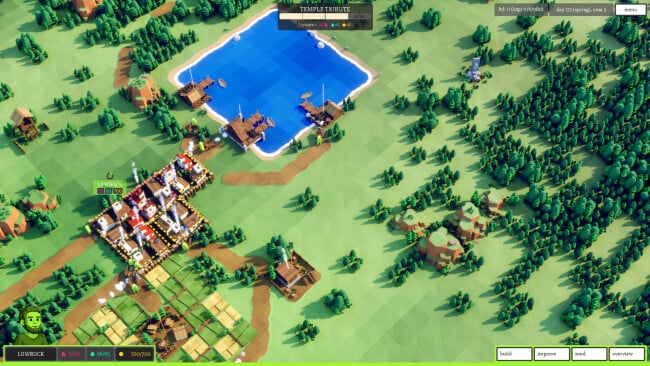
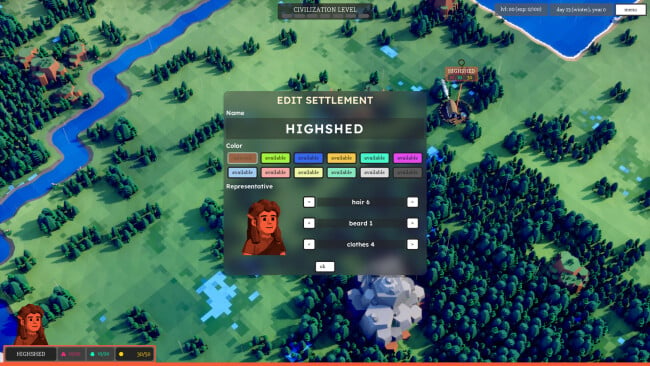
Installation
- Click the green button below to be redirected to UploadHaven.
- Wait 15 seconds, then hit “Free Download.” (Free downloads may be slower — upgrade to UploadHaven Pro for faster speeds.)
- Once downloaded, right-click the .zip file and choose “Extract to A Little Age.” (You’ll need 7-Zip for this.)
- Open the extracted folder and run the game as administrator.
- Enjoy! 🎮 If you see missing DLL errors, check the <strong>_Redist</strong> folder inside and install what’s needed.
System Requirements
- Requires a 64-bit processor and operating system
- OS: Windows 10 x64
- Processor: Dual Core 1.4 Ghz
- Memory: 4 GB RAM
- Graphics: NVIDIA GT 720 (or equivalent)
- DirectX: Version 11
- Storage: 1 GB available space
Setup Guide & Troubleshooting
How do I fix missing DLL errors for A Little Age (v1.00.05)?
After extracting A Little Age (v1.00.05), navigate to the _Redist or _CommonRedist folder inside the game directory and install DirectX, Vcredist, and any other dependencies included.
What should I do if the downloaded file is corrupted?
The full archive is 332.06 MB — make sure your download completed fully before extracting. Use 7-Zip to extract the files. If you still see a "file corrupted" error, re-download and try again.
Why should I run the game as administrator?
Right-click the game executable and select "Run as Administrator" to avoid save file issues and permission errors. This is especially important on the first launch.
How do I update my GPU drivers for this game?
A Little Age (v1.00.05) requires a NVIDIA GT 720 (or equivalent) or equivalent. Update your NVIDIA or AMD drivers to the latest version for the best performance.
The game won't launch — what should I try?
This game requires Version 11. Try running in compatibility mode, install the latest DirectX runtime, or install the All-in-One VC Redist Package.
My antivirus is blocking the game — is it safe?
Antivirus false positives are common with pre-installed games. Temporarily pause your antivirus during extraction to prevent it from quarantining game files. You can re-enable it after the extraction completes.