
Game Overview
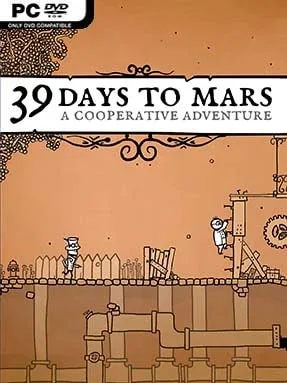
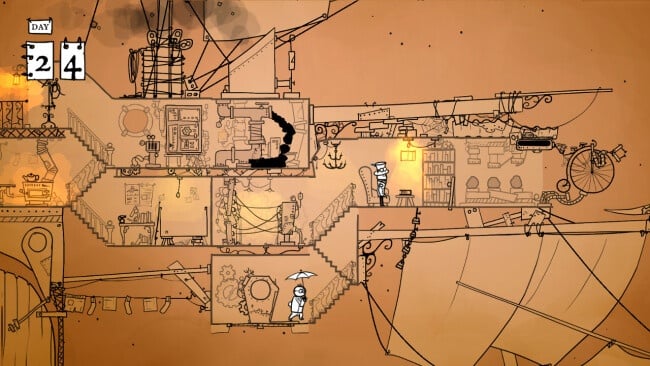
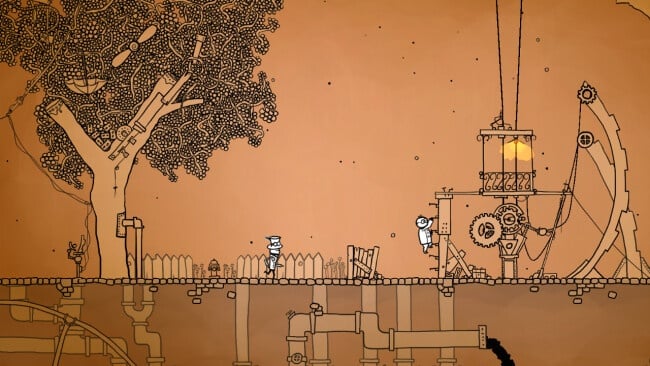
Victorian-era space travel becomes a wonderfully fragile affair aboard the HMS Fearful, a steam-powered vessel attempting the long trip to Mars. 39 Days to Mars turns a simple voyage into a compact co-op puzzle adventure where every malfunction, missing resource, and domestic inconvenience threatens to derail the mission. Sir Albert Wickes and Clarence Baxter are less heroic astronauts than stubborn gentlemen improvising their way through a machine that seems determined to fall apart. The mood is playful and theatrical, with hand-drawn illustrations, dry British humor, and a sense that tea is nearly as vital as oxygen.
Most of the journey revolves around short, tactile puzzles built for two people sharing one screen. One player may operate a mechanism while the other follows instructions, manage a cooking task during a crisis, repair a broken system, or coordinate precise timing under pressure. The ship constantly introduces new problems, so the appeal comes from communicating quickly and adapting when a straightforward task becomes chaotic. Local co-op is the ideal way to play, since several challenges deliberately split responsibilities between the two explorers, but solo players receive assistance from the ship’s cat-controlled companion. Playing alone is more demanding, requiring fast hands as well as puzzle-solving instincts, while the overall campaign remains short enough for a single evening.
Its biggest strength is how much personality it finds in small interactions: fiddly controls, unreliable contraptions, and absurd crises make even mundane chores memorable. Rather than offering a huge world or deep progression system, it delivers a carefully paced series of inventive scenes supported by expressive art, environmental comedy, and an understated piano soundtrack. Fans of Overcooked’s cooperative panic, the whimsical machinery of The Room, or brief narrative-focused indie adventures should find plenty to enjoy here, though the pace is gentler and more puzzle-led than those comparisons suggest. 39 Days to Mars suits couples, friends, and newcomers seeking a charming local co-op experience, while veteran puzzle players may appreciate its concise, cleverly constructed voyage.
Installation
- Click the green button below to be redirected to UploadHaven.
- Wait 15 seconds, then hit “Free Download.” (Free downloads may be slower — upgrade to UploadHaven Pro for faster speeds.)
- Once downloaded, right-click the .zip file and choose “Extract to 39 Days To Mars.” (You’ll need 7-Zip for this.)
- Open the extracted folder and run the game as administrator.
- Enjoy! 🎮 If you see missing DLL errors, check the <strong>_Redist</strong> folder inside and install what’s needed.
System Requirements
- OS: Windows 7
- Processor: 1.7 GHz Core 2 Duo
- Memory: 2 GB RAM
- Graphics: 256 MB VRAM
- DirectX: Version 9.0c
- Storage: 650 MB available space
- Additional Notes: Gamepad(s) recommended
Setup Guide & Troubleshooting
How do I fix missing DLL errors for 39 Days To Mars (B4915046)?
After extracting 39 Days To Mars (B4915046), navigate to the _Redist or _CommonRedist folder inside the game directory and install DirectX, Vcredist, and any other dependencies included.
What should I do if the downloaded file is corrupted?
The full archive is 280.74 MB — make sure your download completed fully before extracting. Use 7-Zip to extract the files. If you still see a "file corrupted" error, re-download and try again.
Why should I run the game as administrator?
Right-click the game executable and select "Run as Administrator" to avoid save file issues and permission errors. This is especially important on the first launch.
How do I update my GPU drivers for this game?
39 Days To Mars (B4915046) requires a 256 MB VRAM or equivalent. Update your NVIDIA or AMD drivers to the latest version for the best performance.
The game won't launch — what should I try?
This game requires Version 9.0c. Try running in compatibility mode, install the latest DirectX runtime, or install the All-in-One VC Redist Package.
My antivirus is blocking the game — is it safe?
Antivirus false positives are common with pre-installed games. Temporarily pause your antivirus during extraction to prevent it from quarantining game files. You can re-enable it after the extraction completes.