
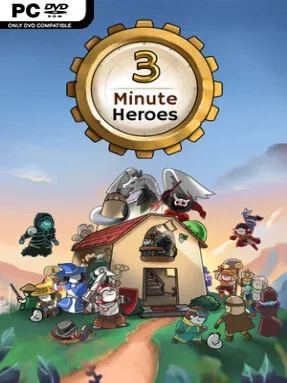
Game Overview
Three-minute battles give this compact strategy roguelite a pressure-cooker rhythm that feels closer to a frantic card game than a slow, methodical tower defense campaign. Monsters pour toward your home in waves, with slimes, goblins, ghosts, golems, demons, and dragons each demanding different answers. The mood stays colorful and approachable, but the pace is unforgiving: every placement, card play, and reward choice can decide whether a run survives. Its central appeal comes from making substantial tactical decisions without asking for an hour of setup.
Each round revolves around deploying units, drawing from a hero-driven deck, and using spells or effects at the exact moment an enemy formation becomes dangerous. You select two of 20 heroes, combining their personal skills and card pools into builds that can favor direct damage, sturdy defenders, repeated actions, or clever status-based setups. Victories lead to roguelite reward choices that reshape the deck, while duplicate hero cards can be merged to strengthen a chosen specialist. Keywords add another layer of control, allowing cards to gain effects such as chained activations, protection, or altered targeting, and enemy loot can be tuned to better support a developing strategy.
What separates 3 Minute Heroes from many deckbuilders is the way its enormous card selection remains tied to readable, immediate tower-defense problems. More than 400 cards and two-hero combinations create room for experimentation, while hard-mode content, escalating Extreme Stages, and random altar effects give experienced players reasons to keep pushing beyond ordinary clears. The asynchronous Arena shifts the focus toward auto-battler planning, with synergies, quests, and rankings rewarding players who understand how builds function without constant input. Fans of Monster Train, Slay the Spire, or compact defense games should appreciate its mix of quick runs and deep theorycrafting, while newcomers can start with simple hero pairings before tackling its harsher invasion modes.
Installation
- Click the green button below to be redirected to UploadHaven.
- Wait 15 seconds, then hit “Free Download.” (Free downloads may be slower — upgrade to UploadHaven Pro for faster speeds.)
- Once downloaded, right-click the .zip file and choose “Extract to 3 Minute Heroes.” (You’ll need 7-Zip for this.)
- Open the extracted folder and run the game as administrator.
- Enjoy! 🎮 If you see missing DLL errors, check the <strong>_Redist</strong> folder inside and install what’s needed.
System Requirements
- OS *: Windows 7
- Processor: 2.2Ghz or faster Dual Core
- Memory: 2 GB RAM
- Graphics: 512mb Dedicated VRAM
- DirectX: Version 9.0
- Storage: 1 GB available space
Setup Guide & Troubleshooting
How do I fix missing DLL errors for 3 Minute Heroes?
After extracting 3 Minute Heroes, navigate to the _Redist or _CommonRedist folder inside the game directory and install DirectX, Vcredist, and any other dependencies included.
What should I do if the downloaded file is corrupted?
The full archive is 418.61 MB — make sure your download completed fully before extracting. Use 7-Zip to extract the files. If you still see a "file corrupted" error, re-download and try again.
Why should I run the game as administrator?
Right-click the game executable and select "Run as Administrator" to avoid save file issues and permission errors. This is especially important on the first launch.
How do I update my GPU drivers for this game?
3 Minute Heroes requires a 512mb Dedicated VRAM or equivalent. Update your NVIDIA or AMD drivers to the latest version for the best performance.
The game won't launch — what should I try?
This game requires Version 9.0. Try running in compatibility mode, install the latest DirectX runtime, or install the All-in-One VC Redist Package.
My antivirus is blocking the game — is it safe?
Antivirus false positives are common with pre-installed games. Temporarily pause your antivirus during extraction to prevent it from quarantining game files. You can re-enable it after the extraction completes.