
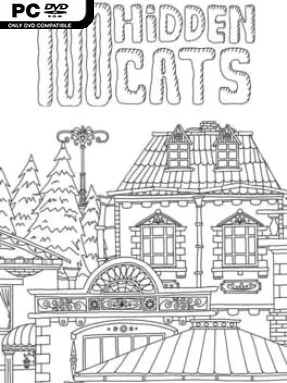
Game Overview
A sprawling monochrome city becomes a feline scavenger hunt in 100 Hidden Cats, a compact indie hidden-object game built around patience, sharp eyes, and a willingness to inspect every odd shape on screen. Its hand-drawn cartoon streets are crowded with buildings, signs, vehicles, windows, rooftops, and tiny visual jokes, all rendered in crisp black and white. Somewhere in that dense urban illustration are 100 cats, many of them blending into the scenery so effectively that a tail, ear, or familiar silhouette can be the only clue. The mood is cozy at first, but the challenge quickly turns it into a test of concentration.
The entire objective is elegantly simple: scan the city, identify each concealed cat, and click it to add it to your total. There is no combat, inventory management, or elaborate narrative to distract from the central puzzle; success comes from carefully reading the artwork and revisiting areas your eyes initially dismiss as background detail. Cats hide in plain sight among architecture and props, while others use perspective, line work, and visual clutter to mislead you. Sessions suit either a short break or a longer, methodical search, though the tougher late-game finds can demand real persistence rather than casual clicking.
What makes 100 Hidden Cats work is its single enormous illustration, which feels more like an interactive ink drawing than a sequence of conventional levels. The black-and-white style removes color-based shortcuts, forcing players to recognize forms and patterns, while the playful art keeps the hunt from becoming sterile. It shares the relaxed observation of a Where’s Waldo-style puzzle, but with a far more focused objective and a surprisingly demanding final stretch. Hidden-object veterans looking for a clean, difficult visual challenge get the most from it, although newcomers can enjoy it too if they do not mind being stumped by a few exceptionally well-concealed cats.
Installation
- Click the green button below to be redirected to UploadHaven.
- Wait 15 seconds, then hit “Free Download.” (Free downloads may be slower — upgrade to UploadHaven Pro for faster speeds.)
- Once downloaded, right-click the .zip file and choose “Extract to 100 Hidden Cats.” (You’ll need 7-Zip for this.)
- Open the extracted folder and run the game as administrator.
- Enjoy! 🎮 If you see missing DLL errors, check the <strong>_Redist</strong> folder inside and install what’s needed.
System Requirements
- OS: Windows 7, 8, 10
- Processor: 2.3 GHz Dual Core
- Memory: 1024 MB RAM
- Graphics: Intel HD 4000
- Storage: 20 MB available space
- Sound Card: Any
- Additional Notes: 1080p, 16:9 recommended. Mouse.
Setup Guide & Troubleshooting
How do I fix missing DLL errors for 100 Hidden Cats?
After extracting 100 Hidden Cats, navigate to the _Redist or _CommonRedist folder inside the game directory and install DirectX, Vcredist, and any other dependencies included.
What should I do if the downloaded file is corrupted?
The full archive is 61.25 MB — make sure your download completed fully before extracting. Use 7-Zip to extract the files. If you still see a "file corrupted" error, re-download and try again.
Why should I run the game as administrator?
Right-click the game executable and select "Run as Administrator" to avoid save file issues and permission errors. This is especially important on the first launch.
How do I update my GPU drivers for this game?
100 Hidden Cats requires a Intel HD 4000 or equivalent. Update your NVIDIA or AMD drivers to the latest version for the best performance.
The game won't launch — what should I try?
Try running in compatibility mode, install the latest DirectX runtime, or install the All-in-One VC Redist Package.
My antivirus is blocking the game — is it safe?
Antivirus false positives are common with pre-installed games. Temporarily pause your antivirus during extraction to prevent it from quarantining game files. You can re-enable it after the extraction completes.